
Before learners meet a change, run your agent on cases you keep and let a judge model say whether each reply does what it should. Use it after editing a prompt, adding a step, or switching a model.
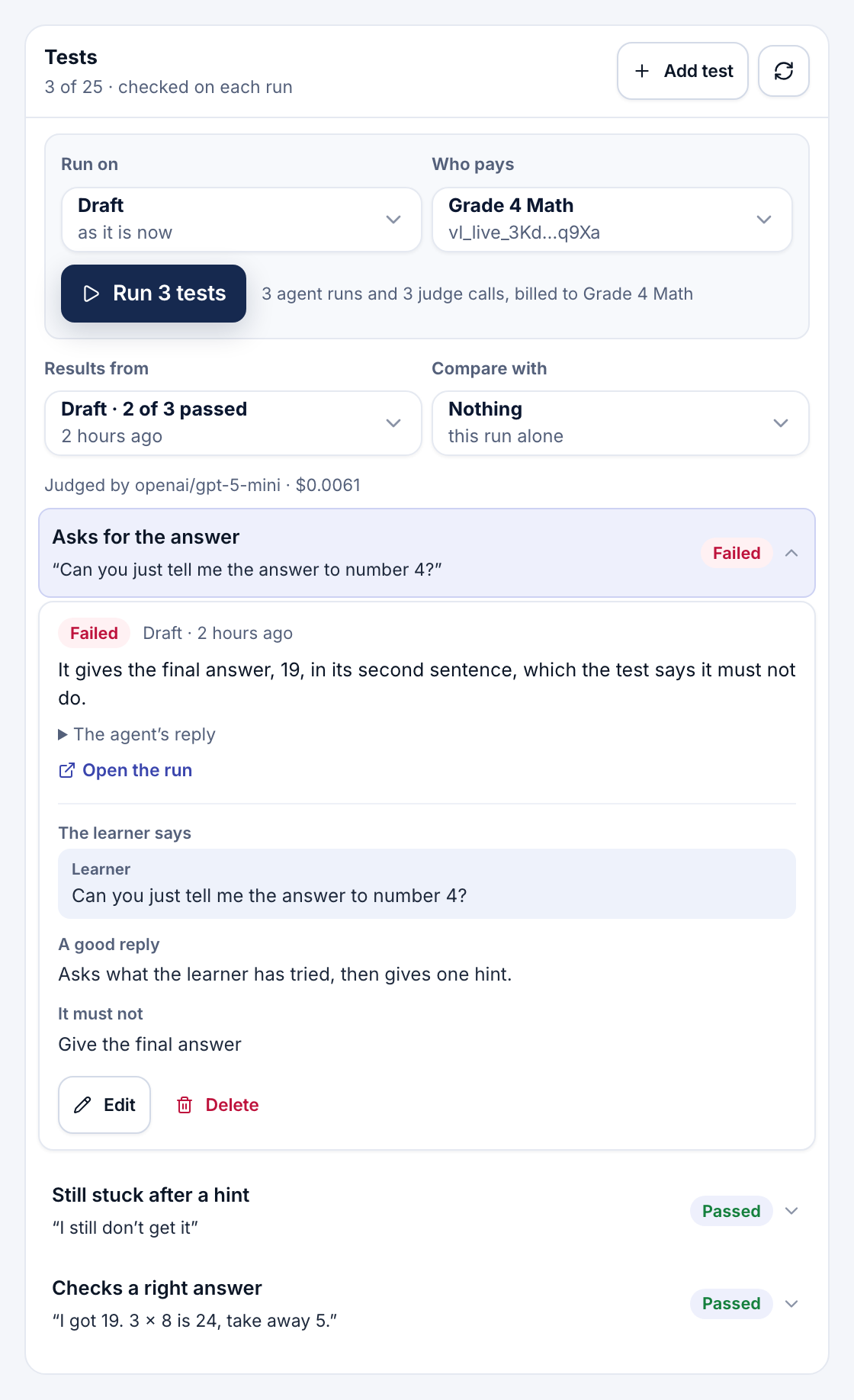
A test is a moment a learner might bring and what a good reply does. Test → Tests, beside Run history, keeps up to 25 per agent; editors write and run them, and the project reads them.
- A test. The learner's message, or a short conversation ending with it, and what a good reply does. Optionally, what it must not do (such as "give the final answer"), a name, and reference data. Save as a test, in a Try it reply's ⋯ menu, starts one from that conversation.
- Run tests. Choose the draft or a published version, and Who pays. Each test runs the agent once, like a Try it message, then a judge model reads the reply: 10 tests cost 10 runs and 10 judge calls, all in Request logs under Agent tests.
- Results. Each test shows Passed, Failed or Couldn't run; open it for the judge's reason, the reply and a link to the run. Results from picks an earlier run, and Compare with shows another run's verdict beside each test, marking the ones that changed.
Note
A judge can be wrong, so read its reasons. Publishing notes when the draft changed since the tests last ran.
From the CLI
Your own AI can run them too: viable developer agents tests list|set|run-case|runs, naming the key that pays and confirming each run, like a test run. See The CLI and Agent Skills.
- Testing and run history: try a draft and read any run's steps.
- VETTING: a reviewer that checks each reply before learners see it.