
An activity is one thing learners do in a course, with an AI beside it or none. Use this page when you add a lesson, a test or a survey.
Kinds of activity
On the course's Activities tab, press Add an activity and choose a kind:
- Lesson: panels, a chat, or both. Start from Chat with an AI, Practice questions, Writing task, Reading or Embedded page.
- Pre-test and Post-test: no AI, one try, no hints, results at the end or none. A pre-test stays open to learners who join after it closes.
- Survey: your form's Survey address. The form receives the learner's ID or learner code under The ID goes in (
pidby default).
Panels
Panels are what learners work in. An activity has up to six; with none, it is a chat.
- Questions: a Question set, with your choice of feedback, tries and hints.
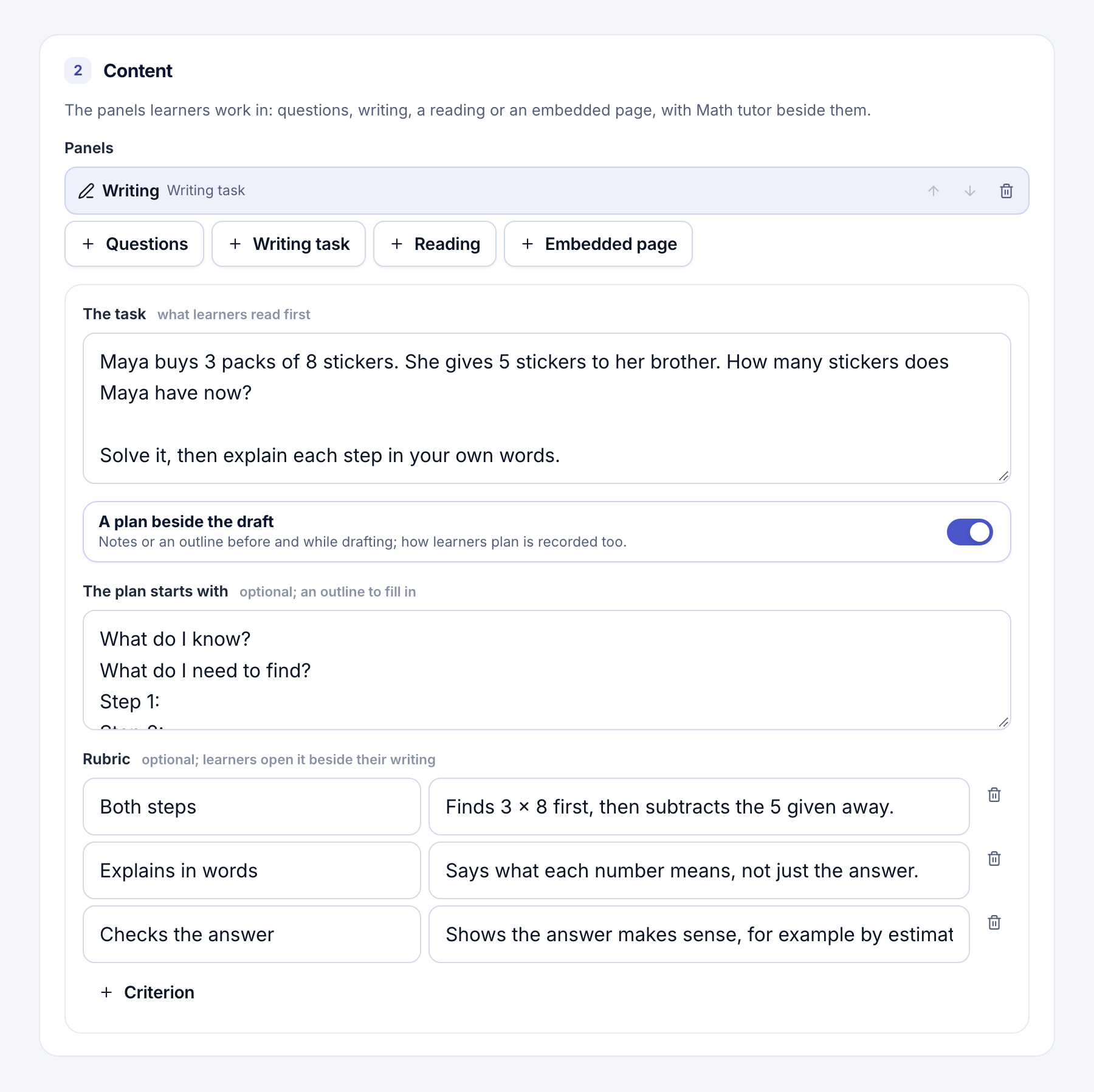
- Writing: The task, an optional plan, a Rubric of up to 12 criteria, word limits and A Hand in button. Drafts save as learners write.
- Reading: a PDF from your knowledge bases, or Upload a PDF. Learners can highlight and add notes.
- Embedded page: The page's address, such as a simulation. It must allow
https://page.viablelearning.orgto frame it.
Showing panels in steps
With two or more panels, set How the panels are shown to In steps (up to four). Two ready patterns: Read, then answer and Read with the AI, then answer alone.
For each step, choose what it Shows, whether The AI is There or Not in this step, and how it Opens: When they're ready or On its own after some minutes. A later step's questions don't reach learners' browsers early.
Tip
A step without the AI is the sure way to keep it out of part of an activity, such as a final quiz.
What the AI sees
Each panel has What [agent] is shown of this panel:
| Panel | Choices |
|---|---|
| Writing | All, Task only, Nothing, Custom |
| Questions | The question, Nothing, Custom |
| Reading | The page in view, The selection, The whole document, Nothing, Custom |
| Embedded page | Its events, Nothing, Custom |
Learners are told shows what learners read about it. Preview what [agent] reads shows exactly what the AI gets. Answer keys are never in it.
Voice and photos
Learners can speak if the agent's published version has a Transcribe step, and hear replies if it has a Speech step. Then turn on Learners may speak and choose Read replies aloud. Transcription is billed per audio minute.
Learners may attach photos and Learners may attach PDFs allow up to 4 files a message, 8 MB each. If they aren't offered, the editor names the agent step to change.
Every saved change makes a new version, which learners get the next time they open the activity.
- How the AI helps: tell the AI the goal and how far it may go.
- Question sets: write, import or draft the questions a panel asks.
- Agent steps: add Transcribe, Speech and VETTING steps.