
Find a request, see what an agent run called, and track what your project spends. Use it when a learner reports a strange reply, or to plan a budget.
Find a request
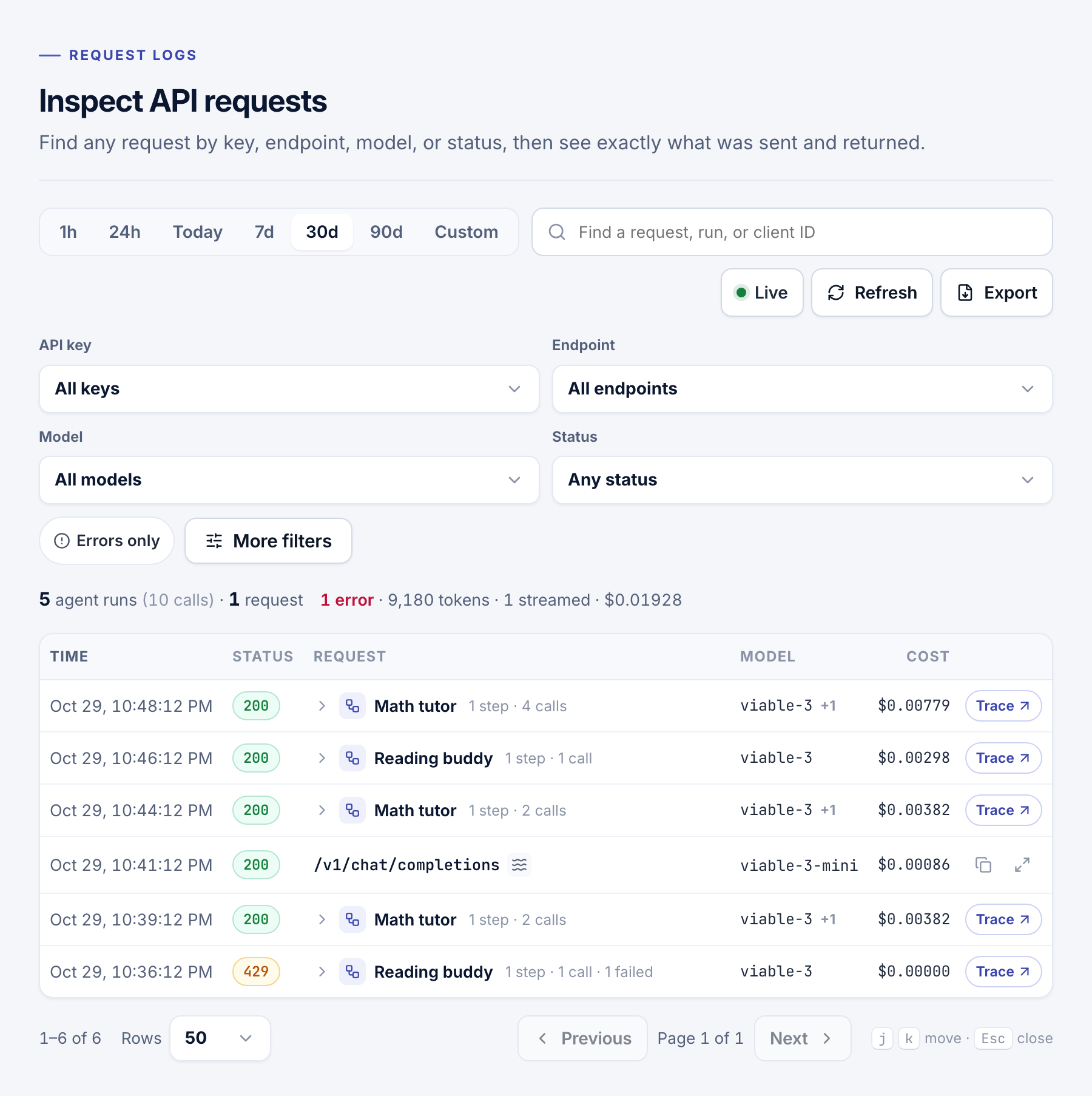
Operate → Request logs keeps every API call in the current project: time, status, endpoint, model, key, tokens, cost, latency, and what was sent and returned. Logs aren't deleted on a schedule.
- Pick a range. Choose when it happened.
- Search. Type a VIABLE request ID, a run ID, or your app's
X-Request-IDin Find a request, run, or client ID. - Filter. Narrow by API key, Endpoint, Model, Status or Errors only. More filters adds Platform ID, Operation, Agent, and Playground or agent test requests.
- Open it. Choose a row to see the request and response.
A run's model calls
An agent run is one row. Expand it to see each model call's step, model, status and share of the time, and choose a call for its details. Trace opens the run step by step.
Paid by
Once the project has key pools, Paid by filters to VIABLE credits, Any key pool, or one pool. The summary line then separates credit cost from requests on your keys.
Export
- Set the filters. The export holds every request that matches, with its payloads.
- Start it. Choose Export, pick CSV or JSONL, and start it.
- Download it. It is prepared on the server, so you can leave the page. It stays under Recent exports for 24 hours.
One export runs at a time. Viewers can export too.
Warning
Request logs and their exports include what learners wrote to the AI, and every member can read them. A CLI log export can leave the text out with
--no-bodies.
Usage
Operate → Usage shows requests, errors, tokens and estimated cost for the current project. Set a Date range, from 7 days to All time or Custom. Filter by API key, Model and, with key pools, Paid by. Group by Day, API key, Model, Endpoint or Paid by.
- Choose a total at the top to chart it.
- In Breakdown, choose a row to filter the page, or Logs to see its requests.
- Filter to one key to see how much of each limit it has used.
- Who paid splits requests and cost between credits and each pool.
For All time, or more than 5,000 requests, totals come from daily summaries, and the model and endpoint views need a shorter range. Each key's Usage and Logs links open these pages filtered to it.
Costs here are estimates from listed model prices, not an invoice. For requests on your provider keys, the provider's invoice is the source of truth.
- Keys, credit and costs: set limits and choose who pays.
- Learners and traces: keep each run's trace in your app's own records.