
How the AI helps tells the agent what one activity is for and how far it may go. It appears in the activity editor once you choose who Learners talk with.
The agent reads it with every message. Learners don't see it.
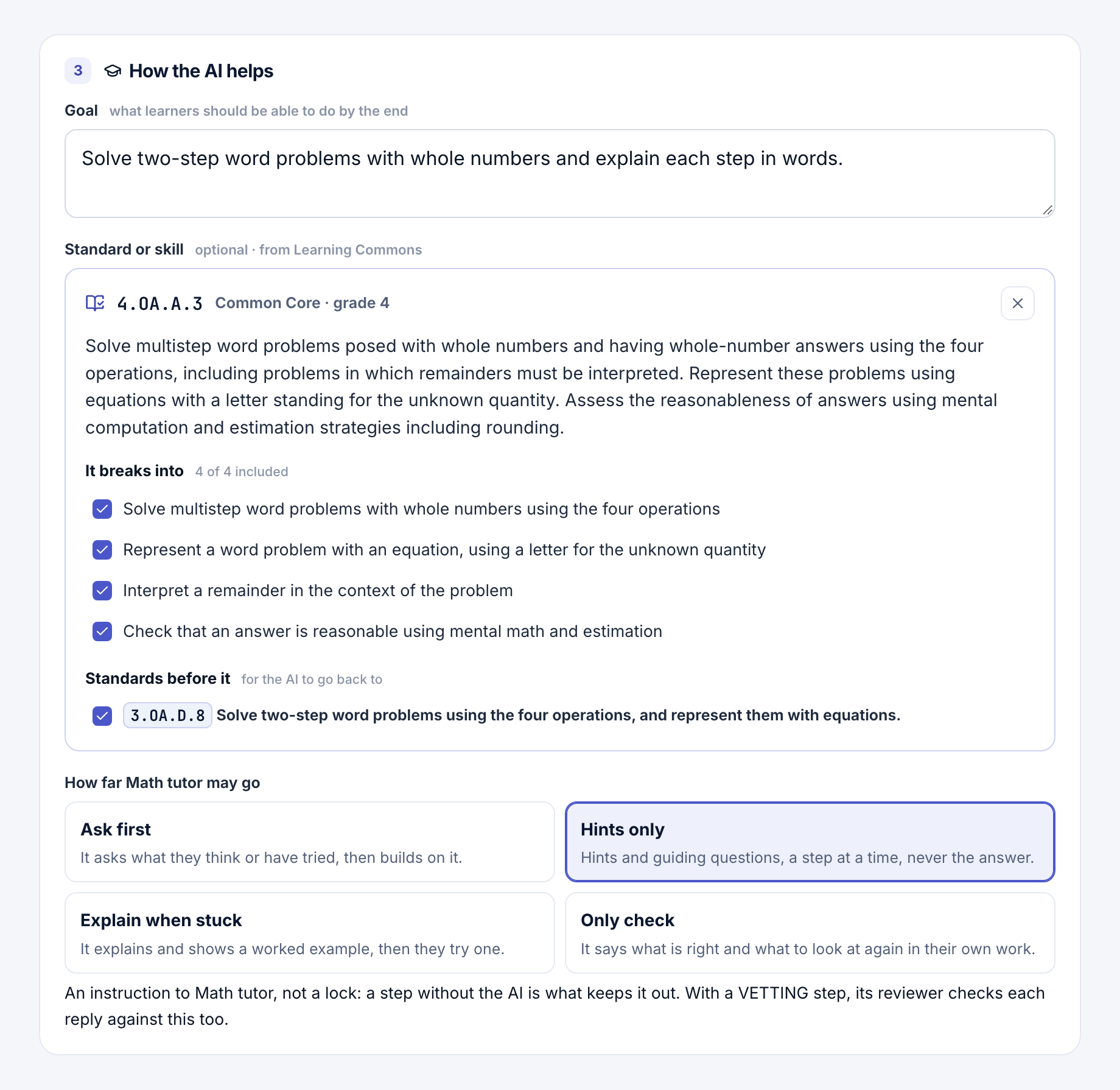
Goal
Under Goal, write what learners should be able to do by the end, in your own words. For example: "Explain each step of a two-step word problem in their own words."
A goal alone is enough for any learners, from a university seminar to a library session. You don't need a standard.
A standard, a skill or misconceptions
Standard or skill is optional: a K-12 standard, or a durable skill for any age. For math, Misconceptions to listen for suggests common misconceptions. See Standards, skills and misconceptions.
How far the AI may go
Choose one, or leave all four off:
- Ask first: it asks what they think or have tried, then builds on it.
- Hints only: hints and guiding questions, a step at a time, never the answer.
- Explain when stuck: it explains and shows a worked example, then they try one.
- Only check: it says what is right and what to look at again in their own work.
Different for a section
Under Different for a section, give a section, such as an extra-support period, its own How far choice and a note (up to 500 characters) the agent reads only in that section's chats. Each message's record keeps which section's settings it used (teaching_section in the research export).
It isn't offered on a study's design or while a course's study runs, where every section follows the design, nor for one learner: a note about a person would go to a model.
Check what the AI is given
Open What [agent] reads with every message to see the exact text the agent gets. With a section of its own, choose it under As read by.
Note
This is an instruction, not a lock. To keep the AI out of part of an activity, show the panels in steps with a step that has no AI. See Activities and panels.
With a VETTING step, its reviewer checks each reply against this too, and replies that can't pass show up under To look at.
A change here makes a new version of the activity, and each message's record says what the AI was asked to do.
- Following progress: see what the AI flagged under To look at.
- Checking replies: add a VETTING step that reviews each reply.
- Standards, skills and misconceptions: align an activity and listen for common mistakes.