
A knowledge base holds documents and websites your agents search and cite. Use one when answers must come from your own material, such as a syllabus or a library's guides.
Knowledge bases live in Build → Knowledge. Agents search only knowledge bases in their own project.
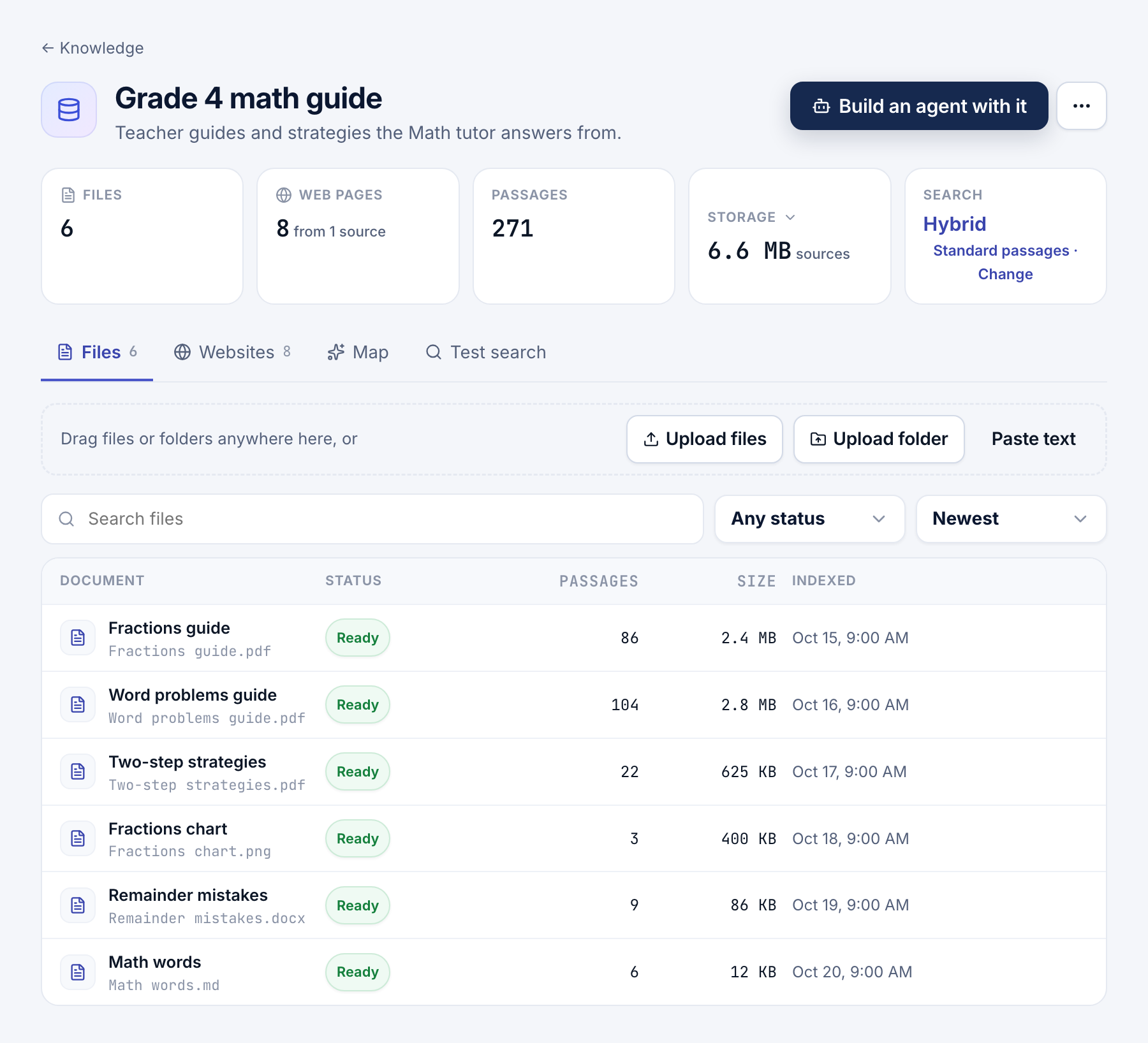
Add documents and websites
- Make it. Click New knowledge base, name it, and choose how it searches (below).
- Add files. On Files, drop files or a folder, up to 15 MB each. Paste text adds notes or an FAQ.
- Add websites. On Websites, choose Specific pages, A whole website or Pages linked from one page.
- Choose how often to re-check. Check for changes runs from Daily to Yearly, or Only when I sync. The default is Monthly.
Files can be PDF, Word, PowerPoint, Excel, Markdown, text, CSV, HTML, JSON or images. Specific pages and A whole website take up to 20,000 pages per import. Pages linked from one page takes up to 1,000.
Tip
For LibGuides, use A whole website with Also add each page's sub-pages on. Its sitemap lists only each guide's first page.
Indexing runs in the background, and Retry failed tries failures again. Pages are fetched without JavaScript. Scanned PDFs without a text layer, and pages that need JavaScript, produce no text.
Choose how it searches
| Search | How it works | Best for |
|---|---|---|
| Hybrid | Keywords plus meaning, reranked | Paraphrased questions, and questions in other languages |
| Keyword only | Keywords, with no AI calls | Predictable results on consistent terms |
Settings that change answers
In the knowledge base's Settings:
- Passage size: Short, Standard or Long (about 600, 1,200 or 2,400 characters).
- Leave out text a website repeats on its pages: drops navigation and footers from passages.
- Let readers open cited files: cited uploaded files link to the file for 7 days. Leave it off for internal or licensed files, and readers see only their names. Web pages always link.
How agents search
Two steps search, and they suit different questions.
- A Knowledge step searches once and passes on numbered passages, 5 by default and up to 20. Put
{{search.context}}in an LLM step's instructions. Tell it to answer only from those sources and cite them as [n]. Branch on{{search.count}}, which is 0 when nothing matched. The Answer from my documents template works this way. - An Agent step with Use knowledge searches as often as it needs and reads whole sections. Use it for lists, comparisons and questions that span several sources.
Citations
Citations are numbered in the order a reply mentions them, one per page or file. On a chat page, each reply shows its sources.
Test search shows exactly which passages an agent would receive for a question. Build an agent with it starts the agent designer with this knowledge base chosen.
- Steps: the Knowledge, LLM and Agent steps in context.
- VETTING: have a reviewer check replies against your sources.
- Chat pages for websites: what visitors see of your sources.