
Start here the first time you run research on VIABLE. You go from your situation to a study whose checks are all done, ready to open.
Start from your situation
Open Research → Overview. Under What are you studying? (or Start another study), pick a card.
| Card | What it sets up | Button |
|---|---|---|
| A study in your own course | A study on a course you have: follow use, compare units or compare groups | Start with your course |
| A study in schools | Comparing groups on a new course for children, with personal codes and parental permission for minors | Start a study in schools |
| An online study | Comparing groups on a new course for adults, who sign in by the ID in their link (PROLIFIC_PID) |
Start an online study |
| Open learning on a chat page | An observational study on an agent's chat page, such as a library's; nobody signs in | Study a chat page |
Create the study
- Say what you want to find out. In New study, the card chooses step 1, except for your own course. When comparing units, also choose The same for everyone or Two orders, half the learners each.
- Name it. Give the study a name your team will recognize.
- Choose where learners take part. Pick A course you have, A new course (with Who it is for: Adults, Teenagers or Children) or, for an observational study, A chat page. It starts with lists the defaults.
- Create it. Select Create study. If you haven't chosen where, the button reads Create, and add where later.
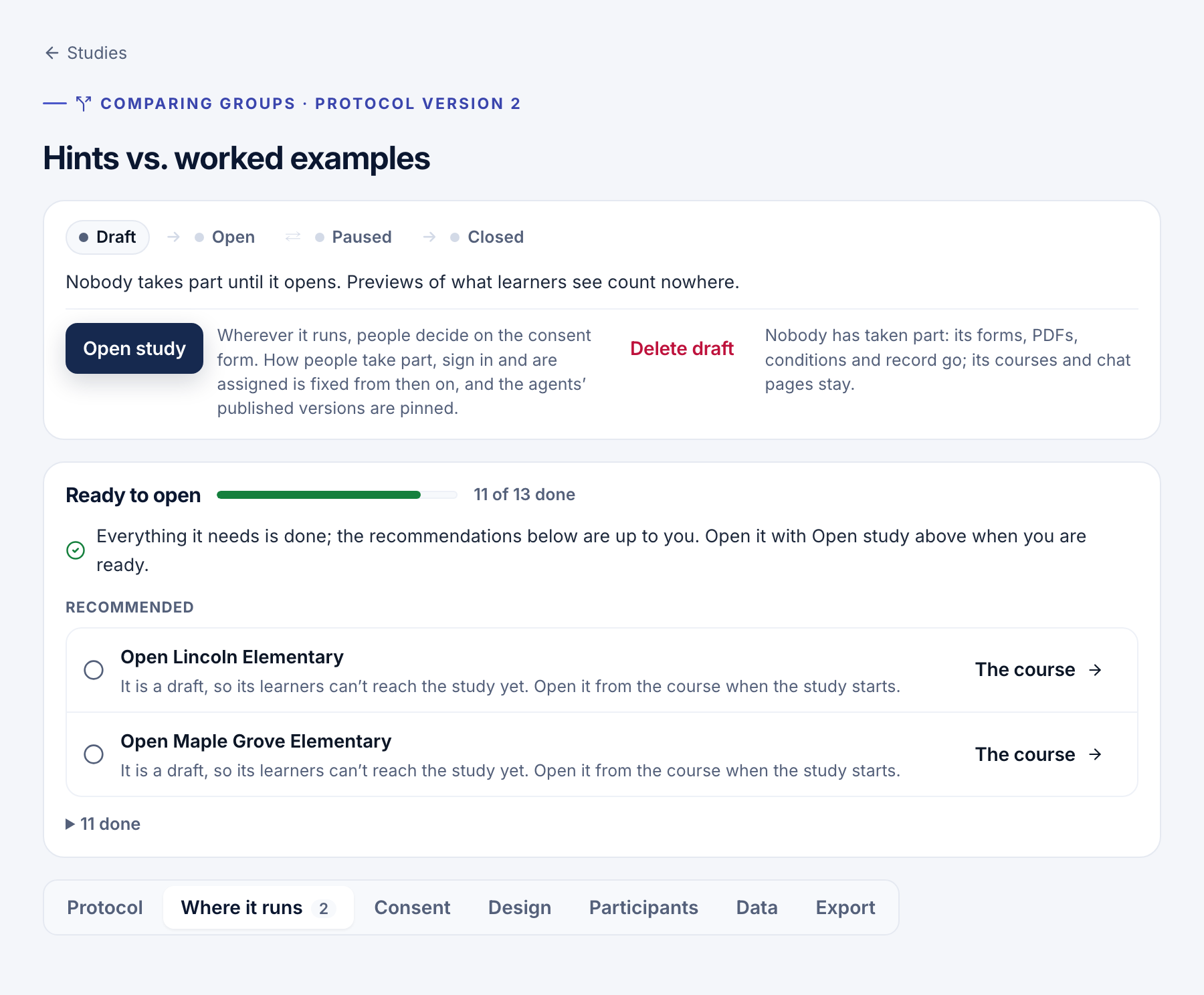
- Work down the checks. On the study's page, Before it opens lists each step that still blocks opening, with a button to where it is done.
- Preview it. In a study on courses, Preview what learners see on Consent opens the first course as a new learner, counted nowhere.
When nothing blocks, the heading reads Ready to open.
The checks
- Every study: add the courses it runs in (or where it runs). None of them may be in another open study.
- A study that tells or asks people: add the consent form (or the research notice).
- A comparative study: define at least two conditions, add the activities and make the conditions differ. Have learners sign in the same way every visit, publish an agent, and choose the key that pays for the AI.
- Depending on how it assigns: add the pre-test, make consent about the use of data, add sections to each course, and give each section its condition.
- On a chat page: turn on an agent's chat page.
Recommended steps follow, such as the approval details. They don't block.
Note
A draft study asks nobody anything, and previews count nowhere. Only owners and editors start studies.
- Choosing a study design: follow use, compare units or compare groups.
- Consent and taking part: decide what people are told or asked.
- Conditions and assignment: set what differs, then open the study.